The Creator film
See the Creator.
In game.
A 45-second look at native Heritage browsing, appearance editing, grooming, wardrobe, Presets and the live Menu.
Explore the CreatorDeadM Creator /
For RedM server owners
Create editable player characters or start with supported native NPCs. Groom, dress and save looks with native clothing, barber tools and community presets.
Packaged and tested with VORP · Sales closed
01 / The Creator package
Loading screen, live main menu, character creation and selection, barber tools, outfit design and private or shared presets.
The Creator film
A 45-second look at native Heritage browsing, appearance editing, grooming, wardrobe, Presets and the live Menu.
Explore the CreatorParallax loading screen
Rotating artwork, gentle parallax and music, followed by the DeadM splash and live main menu.
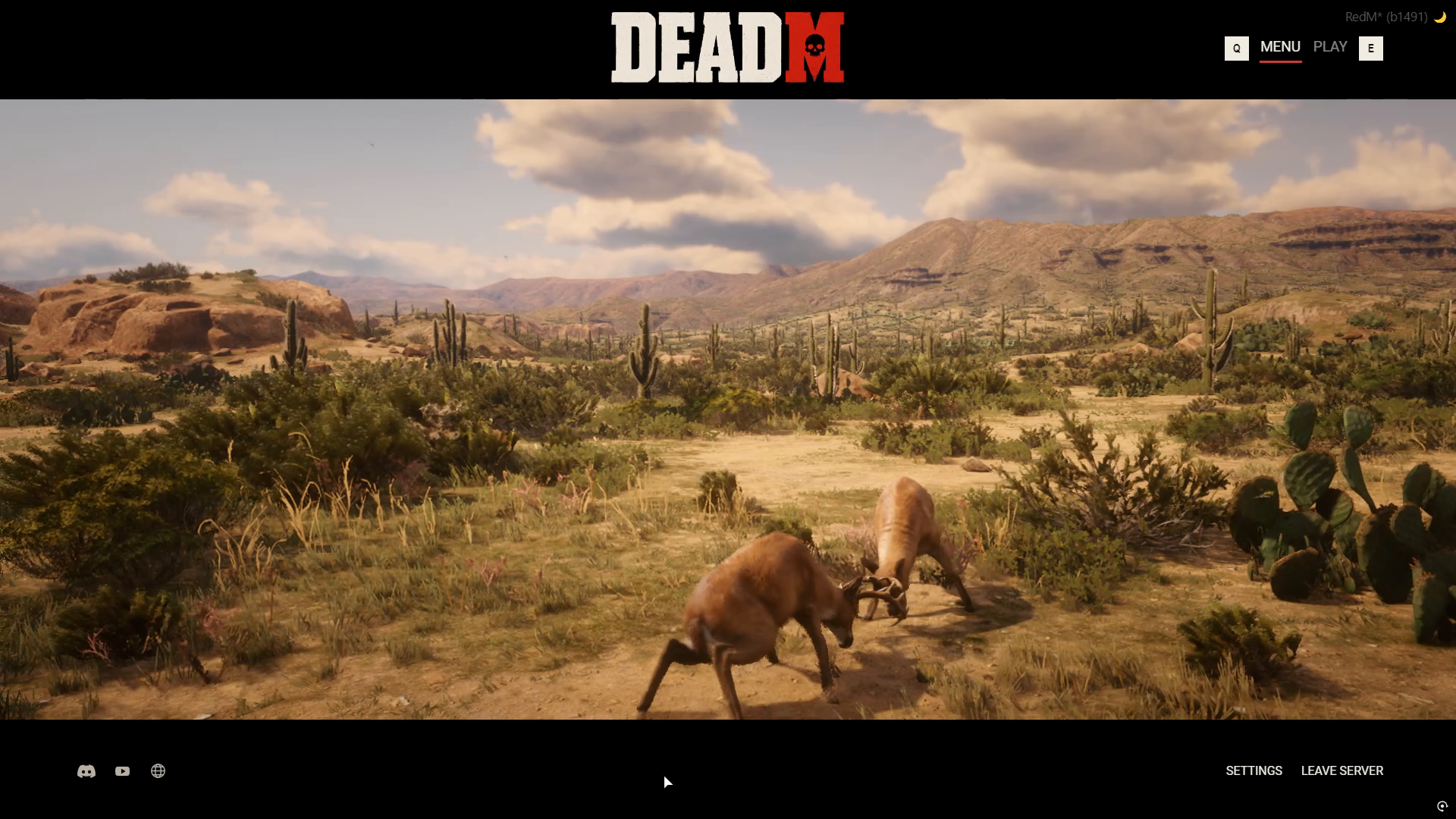
Live main menu
A changing view into the game itself: people at work, travellers on the road, chance encounters and wildlife following native routines. The Menu and Play screens keep your server’s header image and community links close at hand.
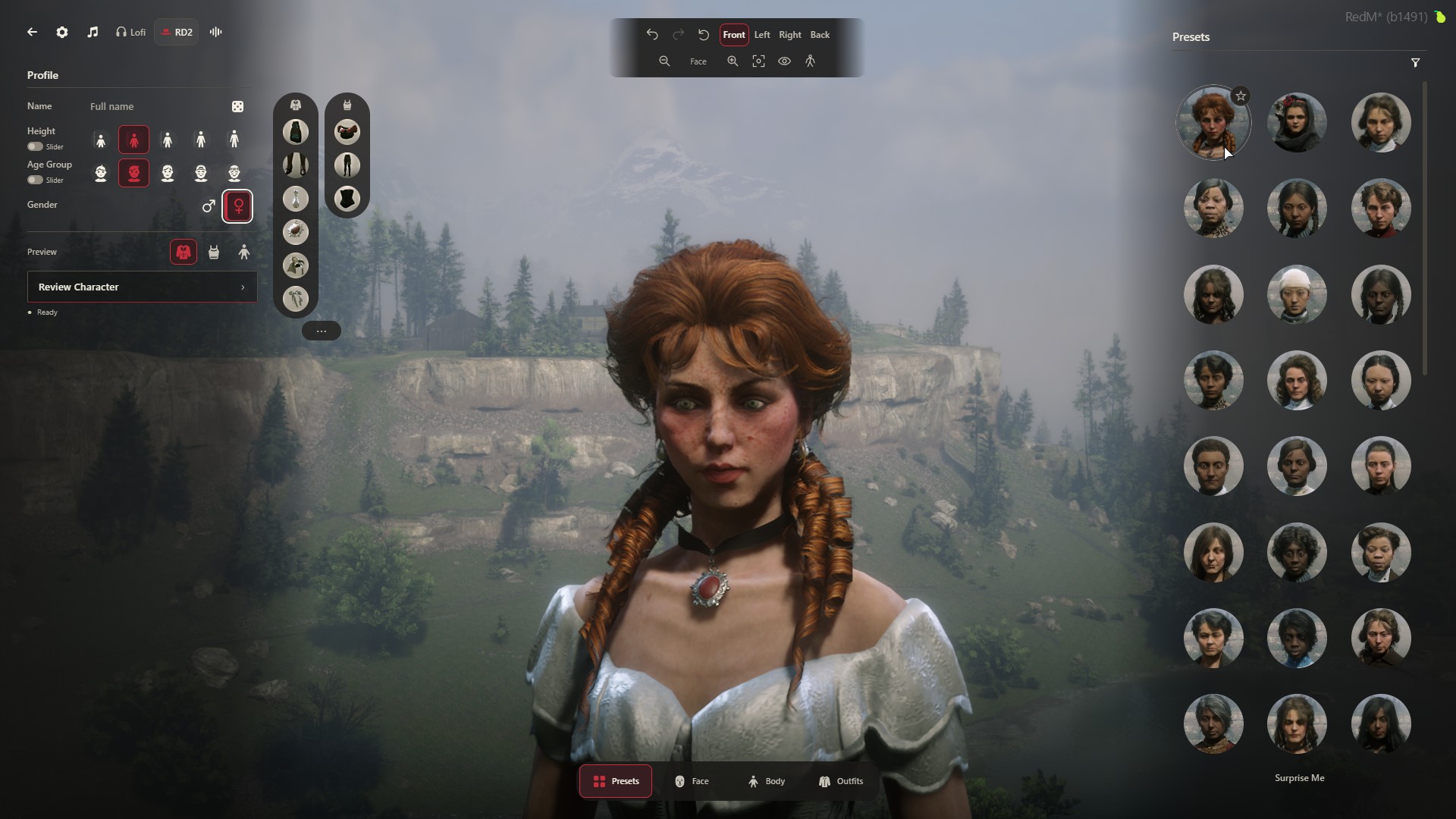
Character creator
Choose an editable player character or supported native NPC. Preview supported appearance edits, then save and select characters from your roster.
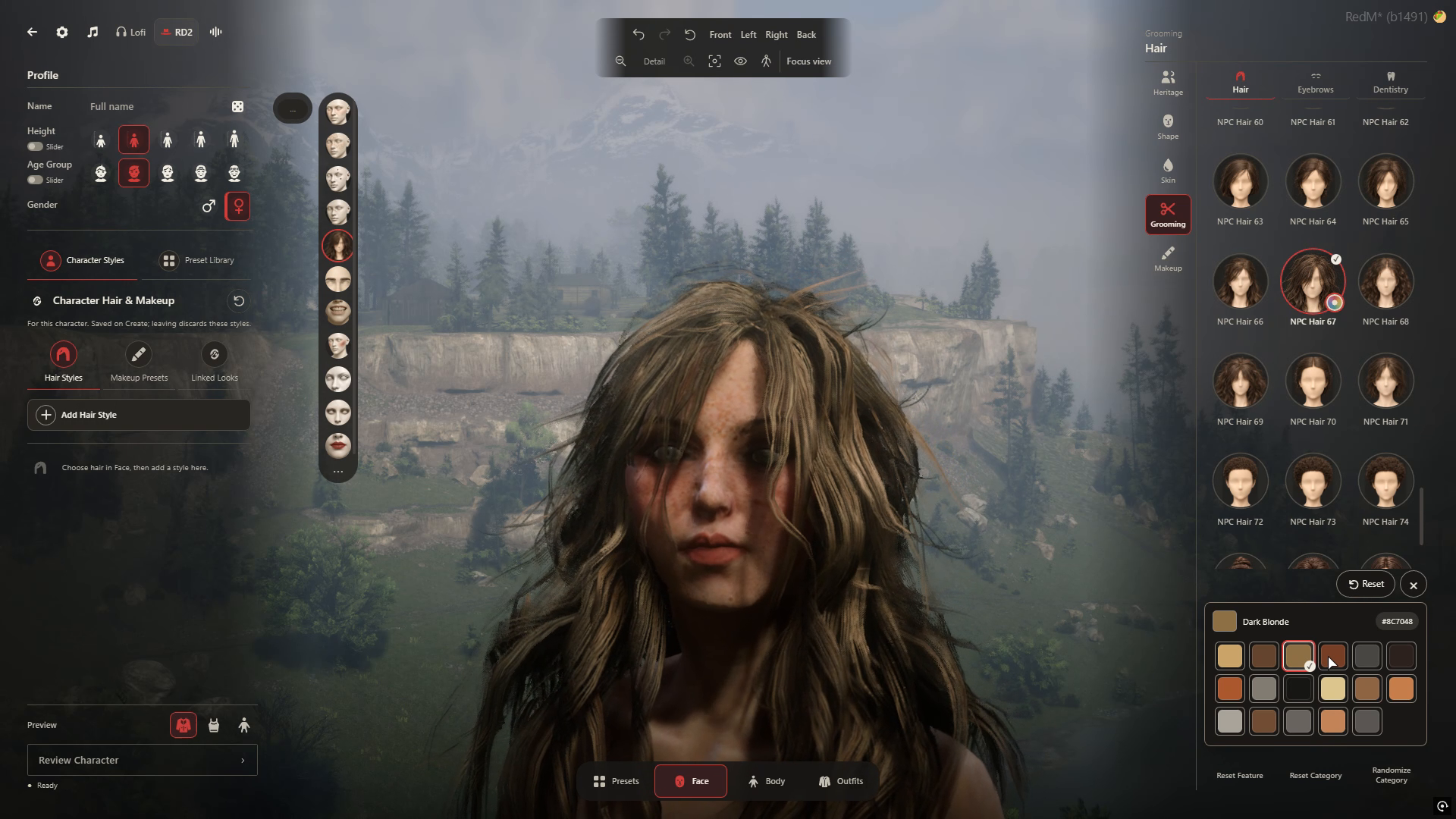
Barber tools
Preview supported hair, facial hair, makeup and skin details. Available grooming choices depend on the selected Heritage.
Outfit designer
Browse native clothing and original colours, manage supported worn layers and save outfits for your character.
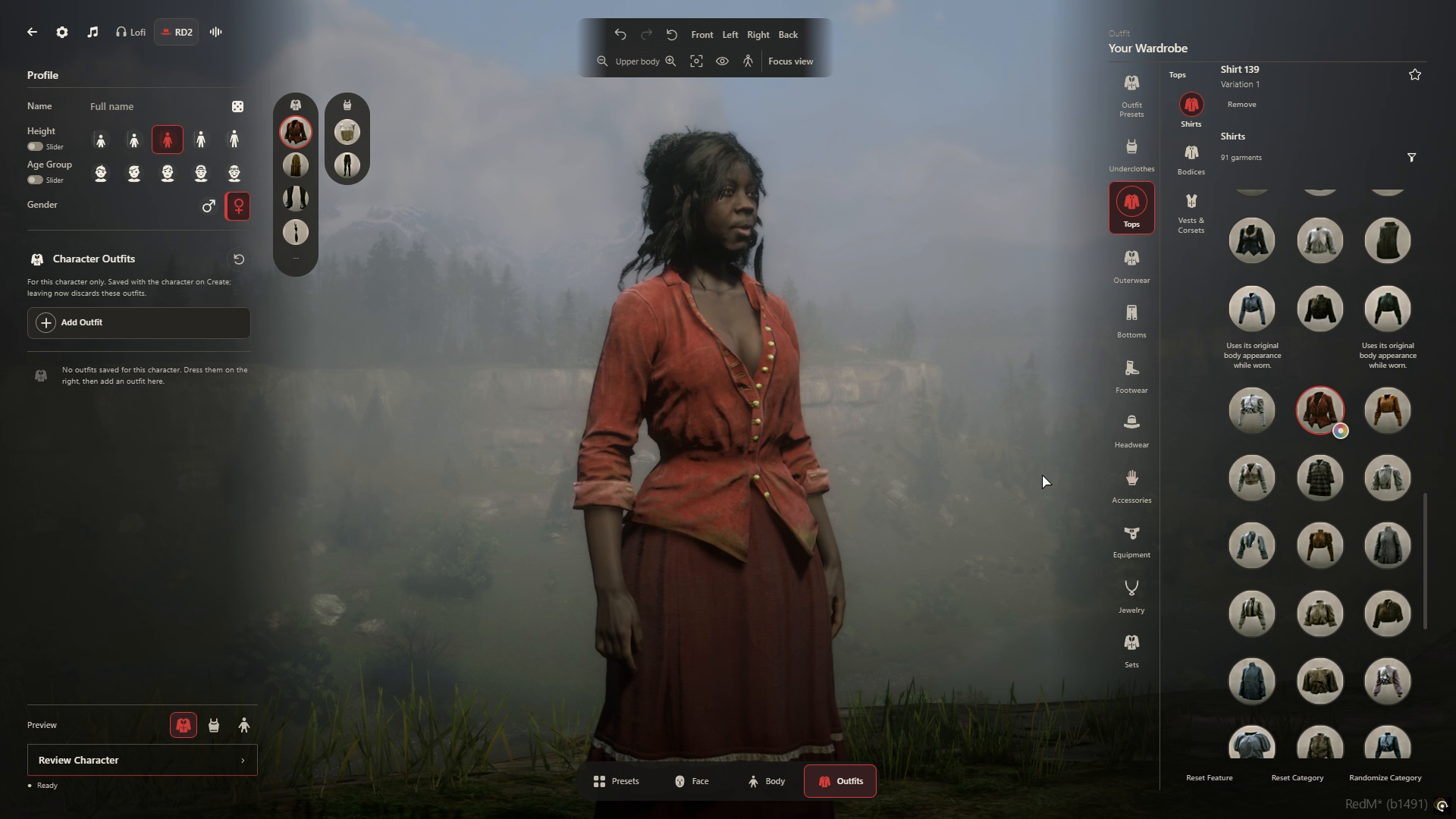
Character ownership
Keep character-owned outfits private. Save reusable character and outfit presets, and choose which to publish to your server’s Community.
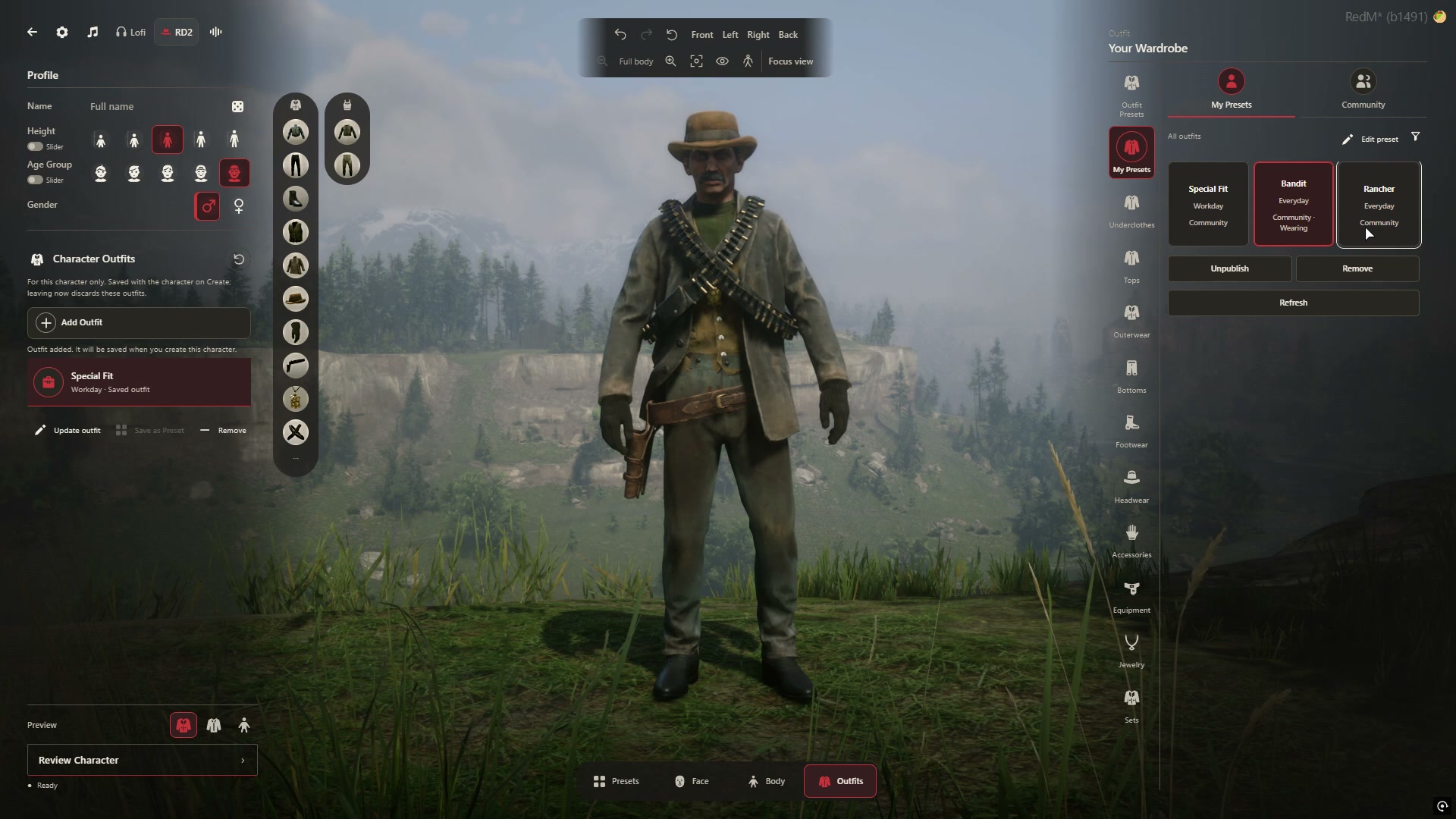
Personal Presets and Community sharing live on your own server. Styling choices depend on the selected character and body; NPC faces keep their authored shape.
02 / For server owners
Here is the tested VORP setup and what to review before installing. Sales remain closed while release setup is completed.
Compatibility
The packaged Creator has been tested with VORP Core 3.3 and Inventory 1.1. Other frameworks and modified forks need review.
Native content
Characters, hair and wardrobe use the game’s native content. Available edits and garment fit depend on the selected character and body.
Your existing server
Existing characters and original appearance records were retained on the tested VORP setup. Review your version and preservation guidance before replacing a creator. Review setup, customization and support.
Server-owner access
$14.99USD / month
The complete Creator, billed monthly.
Coming soon · Sales closed
Server-owner access
$499USD one-time
The complete Creator. No recurring fee.
Coming soon · Sales closed
Both options include the same Creator package and updates while the product is maintained. No trial is offered. Try the Creator on DeadM World before buying.
Sales remain closed while Cfx.re Asset Escrow delivery and Tebex checkout are prepared. Final licence, billing and support terms will be published before sales open.
Read the server-owner guideDeadM · Updates
Creator previews, development news, and the first word on release. Follow along on Discord.
Talk RedM, share your characters, and help shape what comes next.